For gyms
Your members see their progress.You see your gym.
A tag on every machine, an app for your members, a portal for you and your gym in 3D. On the machines you already have.
- No need to replace machines
- Installation with remote guidance

The gym in 3D
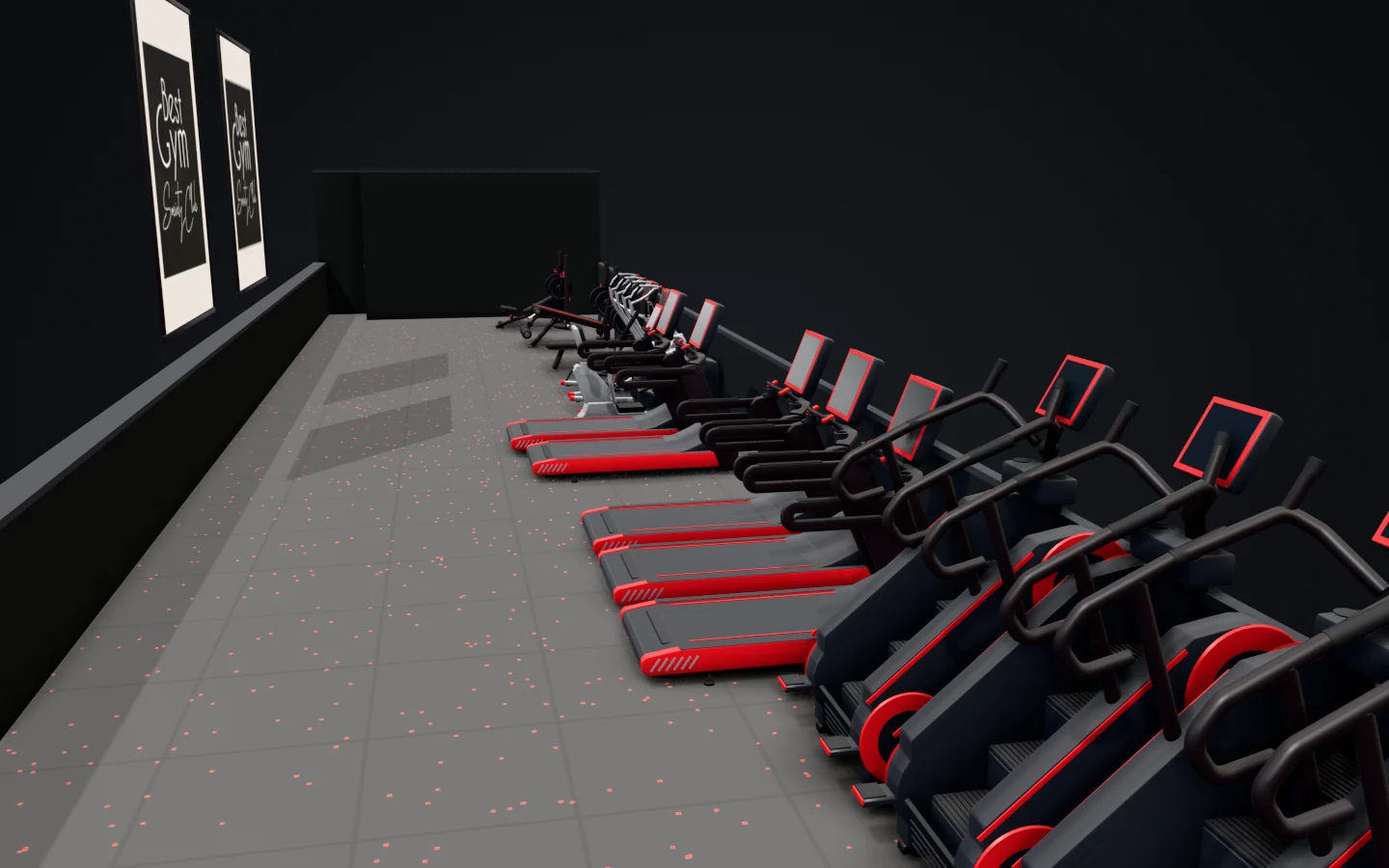
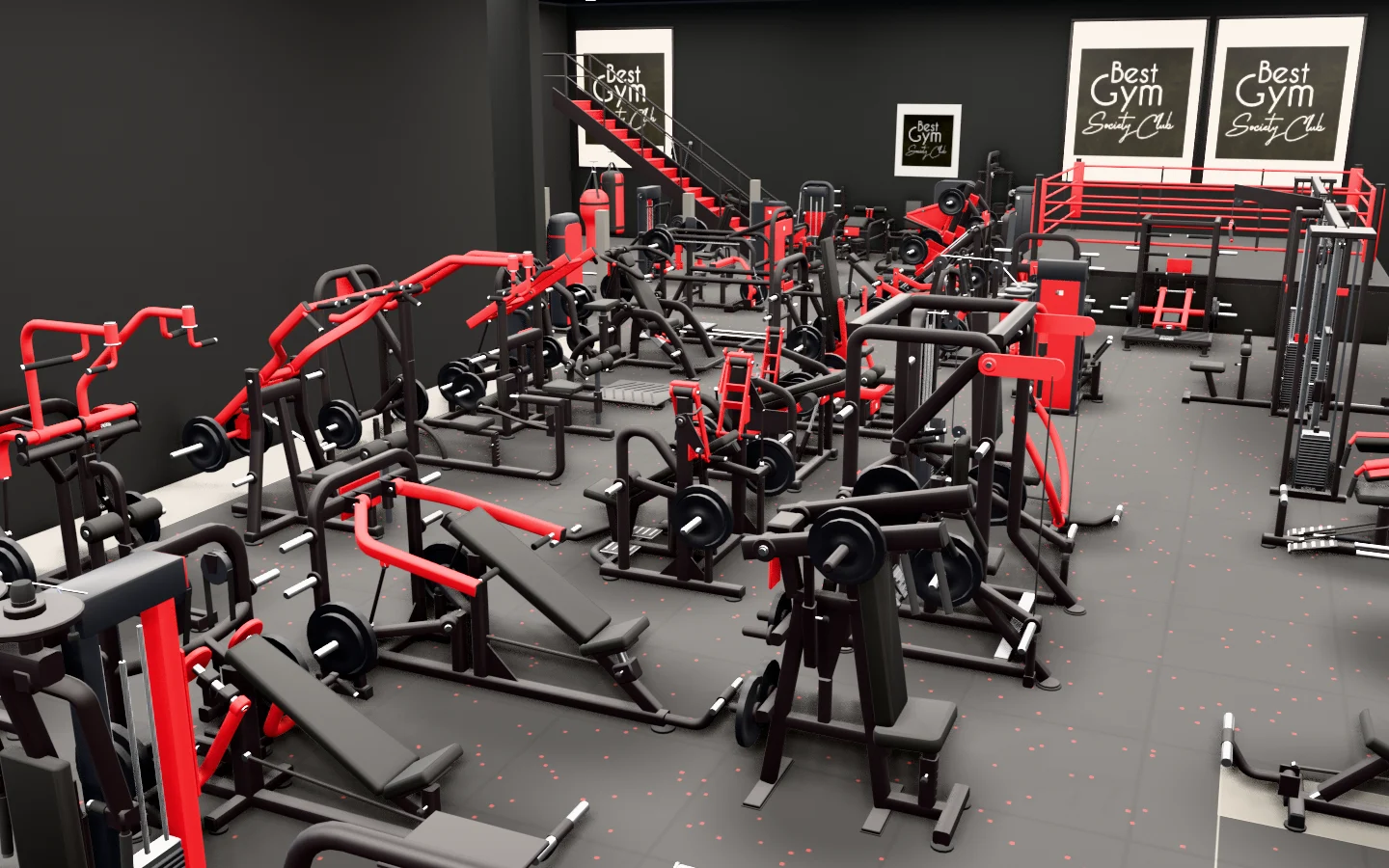
Your members see your gym in 3D.
This is BEST GYM, a real gym, drawn in the REPIVO plan. The plan opens from the Gym tab of your members' app.
 Upper floorGround floor
What your members get
- The gym, floor by floor
They open the 3D plan, turn it, zoom in and switch between floors.
- A machine, with its exercises
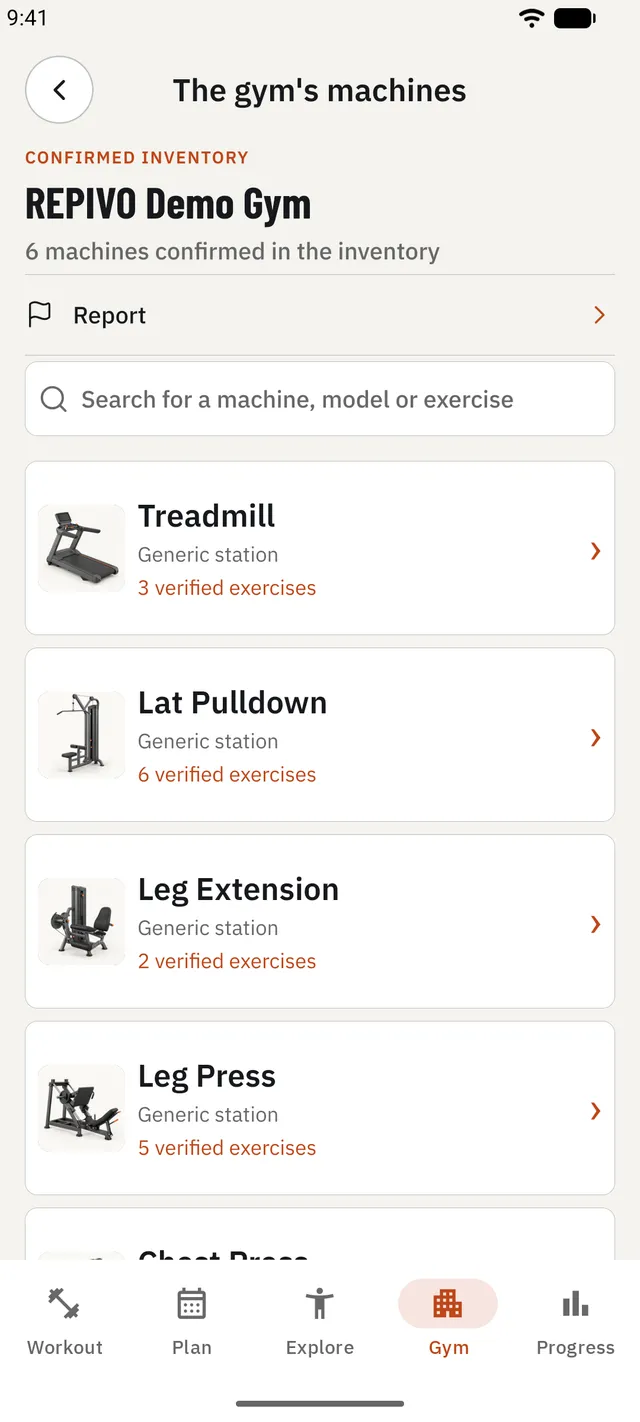
They tap a machine on the plan and see its exercises.
- Where it stands
The machine's card names its floor and, where set, its zone. Search finds machines, exercises and muscle groups.
What you do with the plan
You draw it in the portal, from a template, on as many floors as you have.
You place each machine where it stands, from the REPIVO catalogue.
You publish it, and your members see it in the app.
Rather not draw it? We build it for you, from photos of your gym.
What your member does
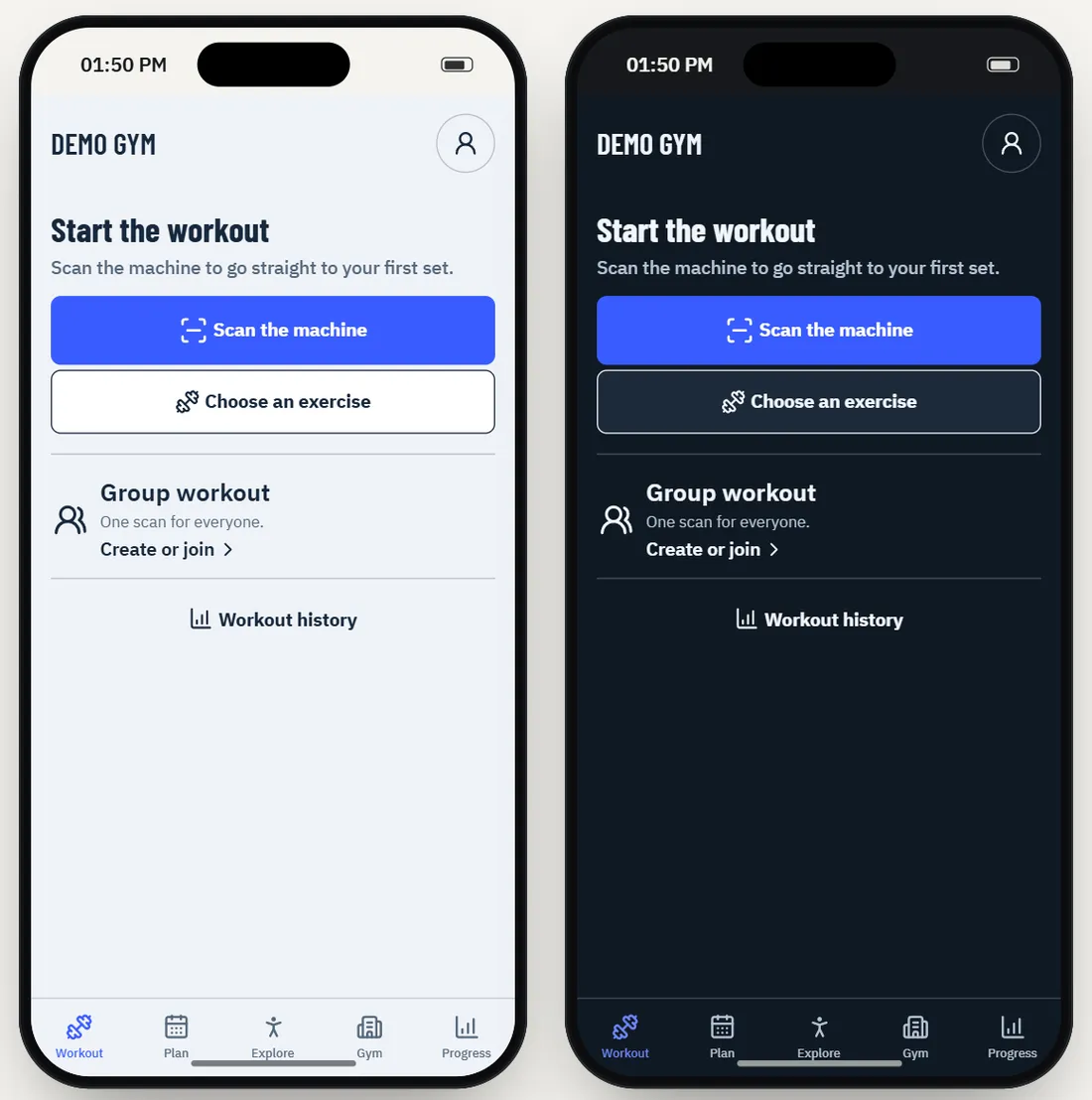
Scan the machine. See your last session. Keep progressing.
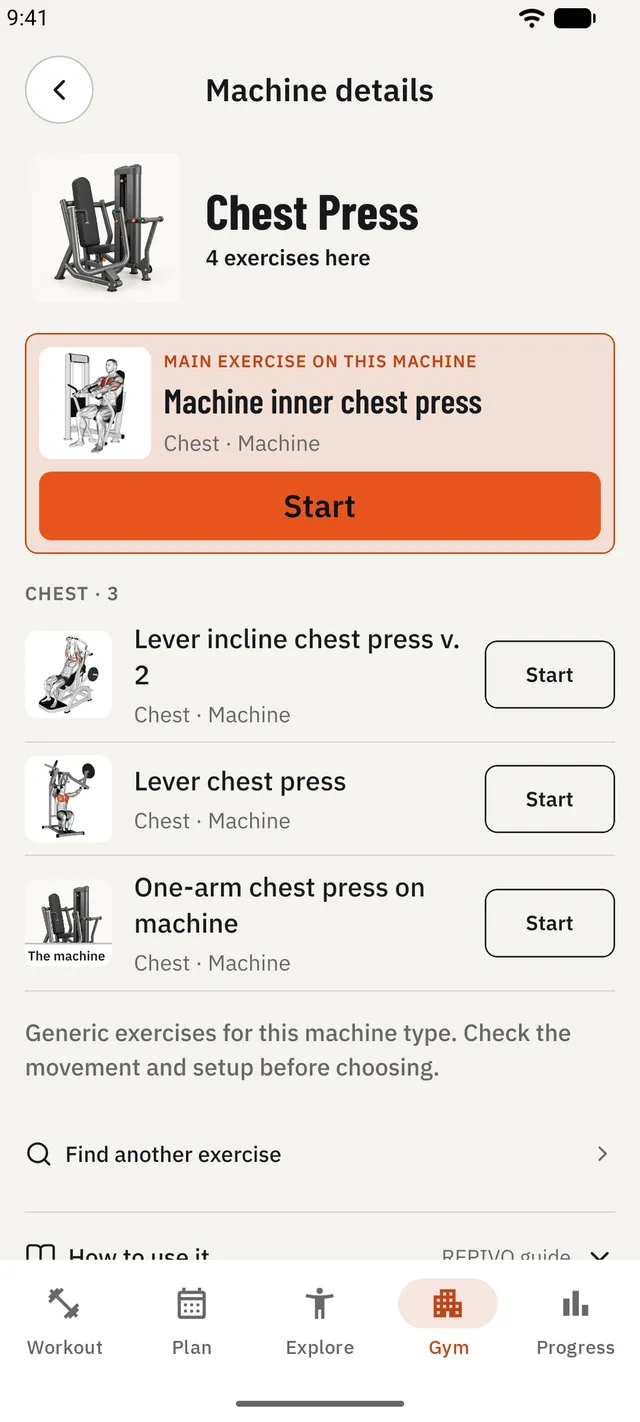
The machine opens
Tap the tag with the phone and see the machine's exercises.
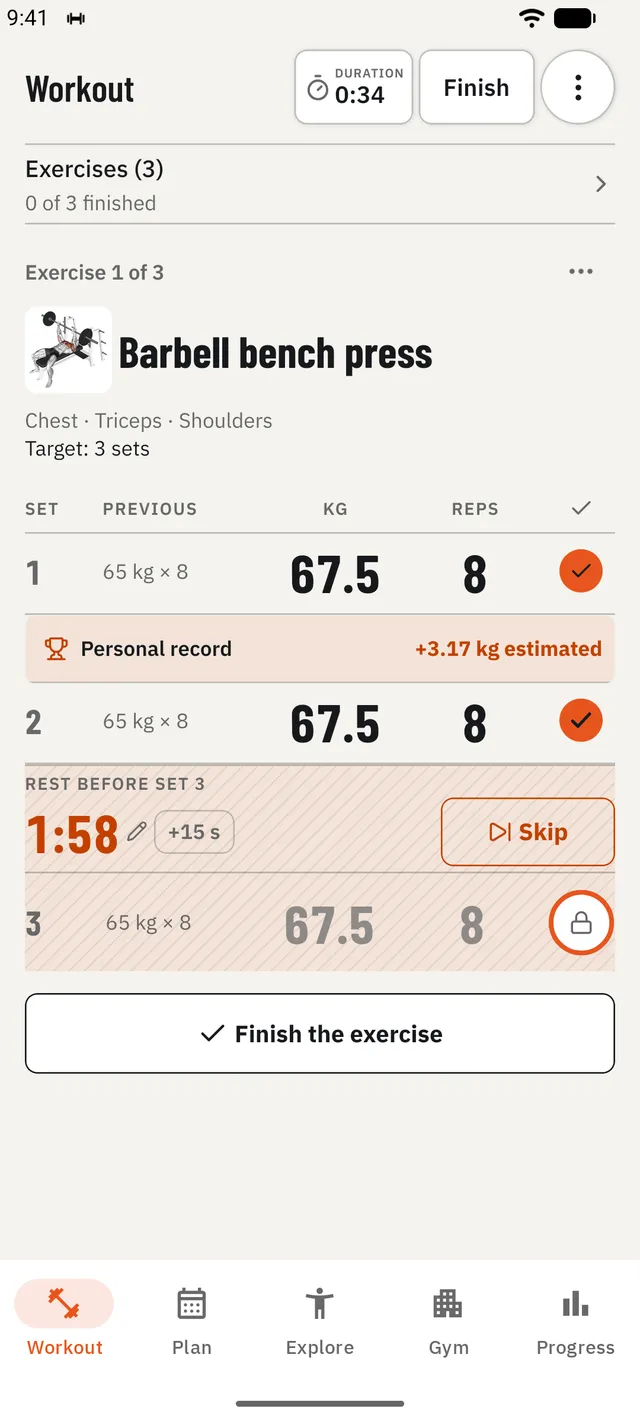
Today's set, next to last time's
Weight and reps, the rest timer, personal records.
How to do it
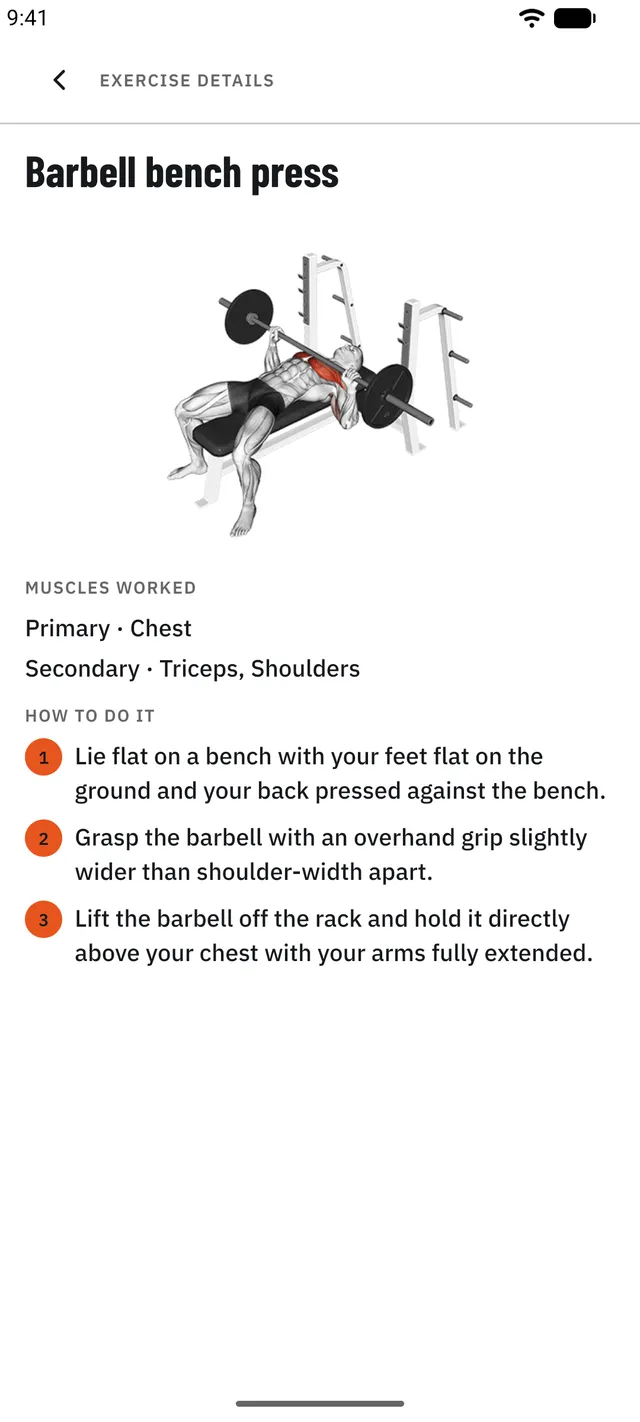
The steps and the muscles worked, for every exercise.
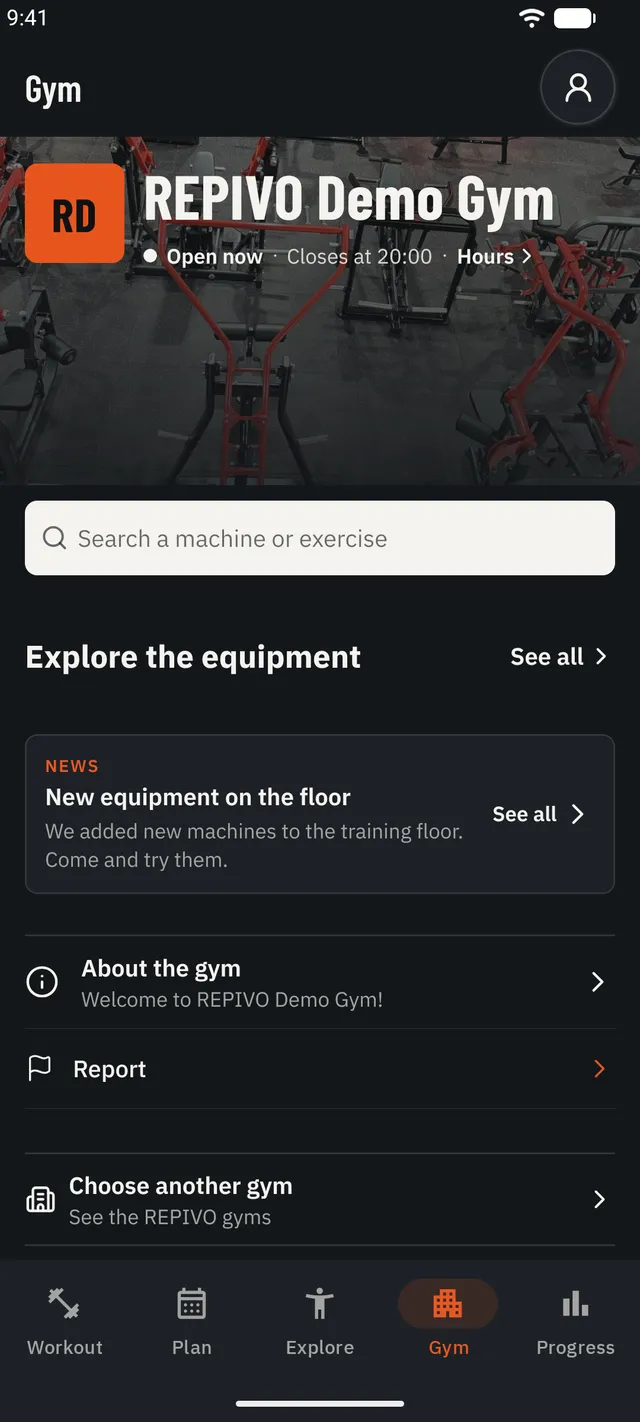
Your gym, in the app
Opening hours, news and the gym's machines, in a tab of their own.
And also
- Progress and records
- Routines
- Group workouts
- Gym map in 2D and 3D
- Reports from the machine
- 25 languages
The gym portal
See what happens in your gym. Decide what your members see.
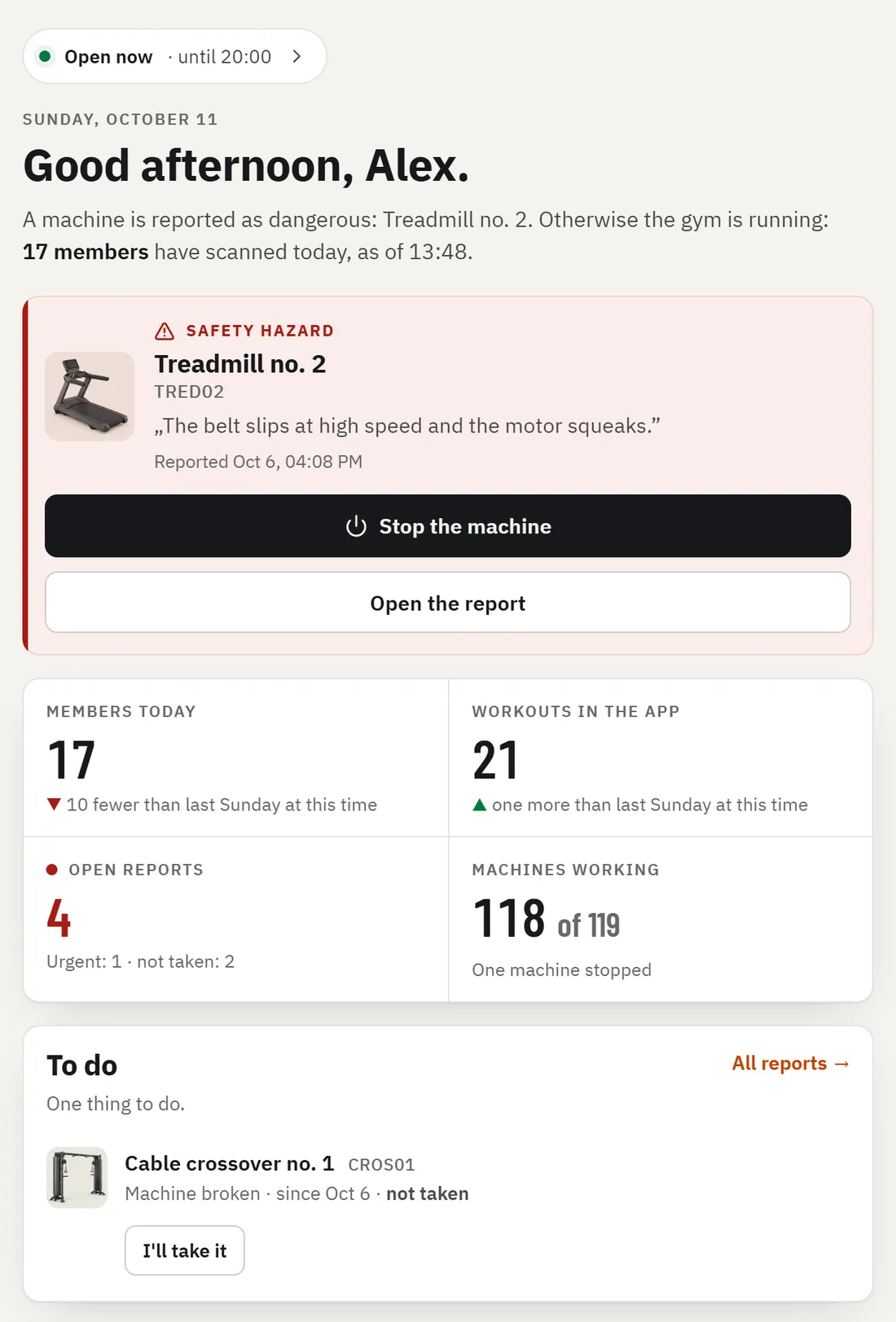
Home
How the gym is doing today: members, workouts, open reports.
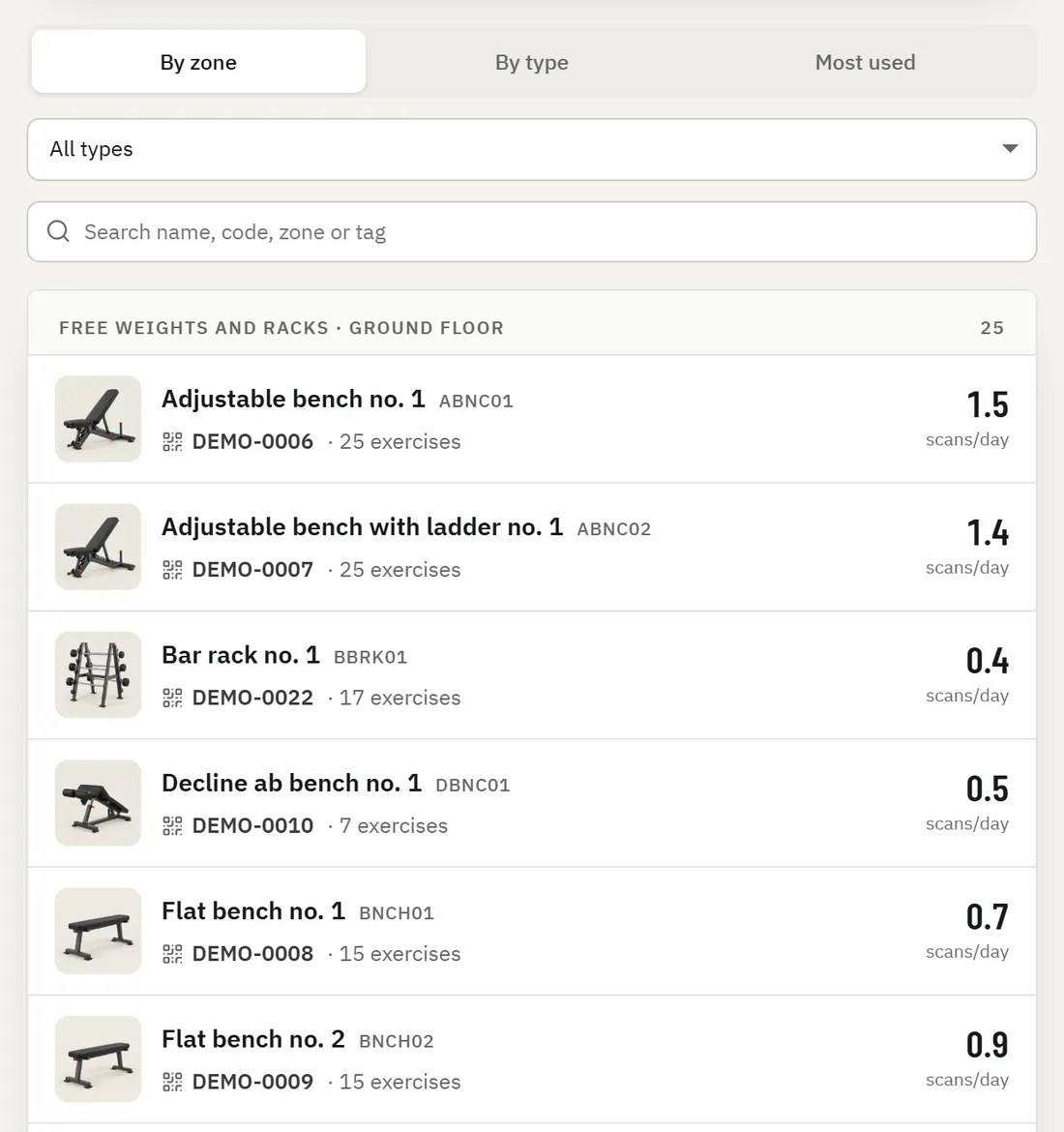
Machines and tags
Every machine, with its tag and exercises. See what is waiting to be scanned.
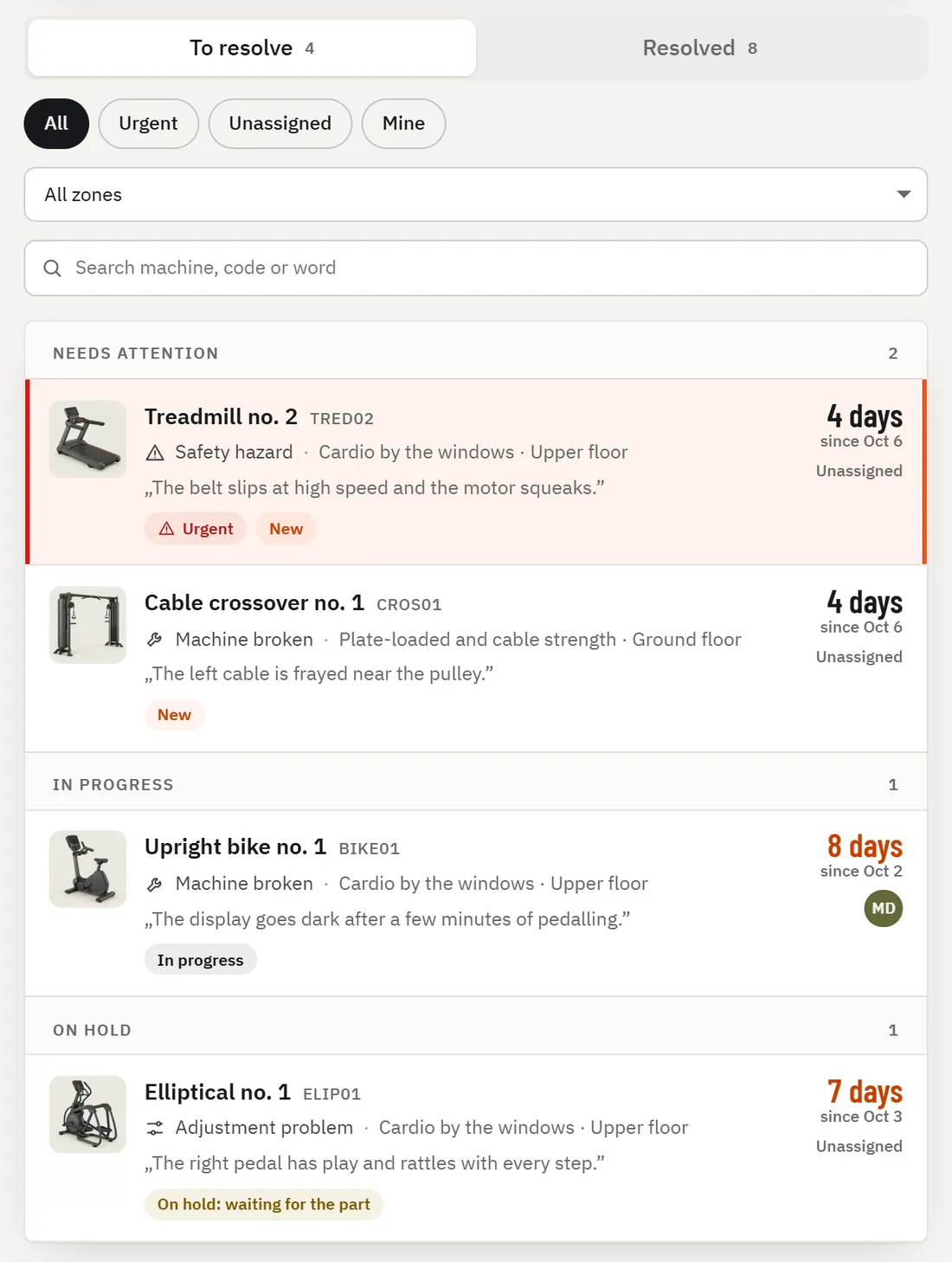
Reports
Members report from the machine. You take the report or stop the machine. Safety hazards also reach you by email.
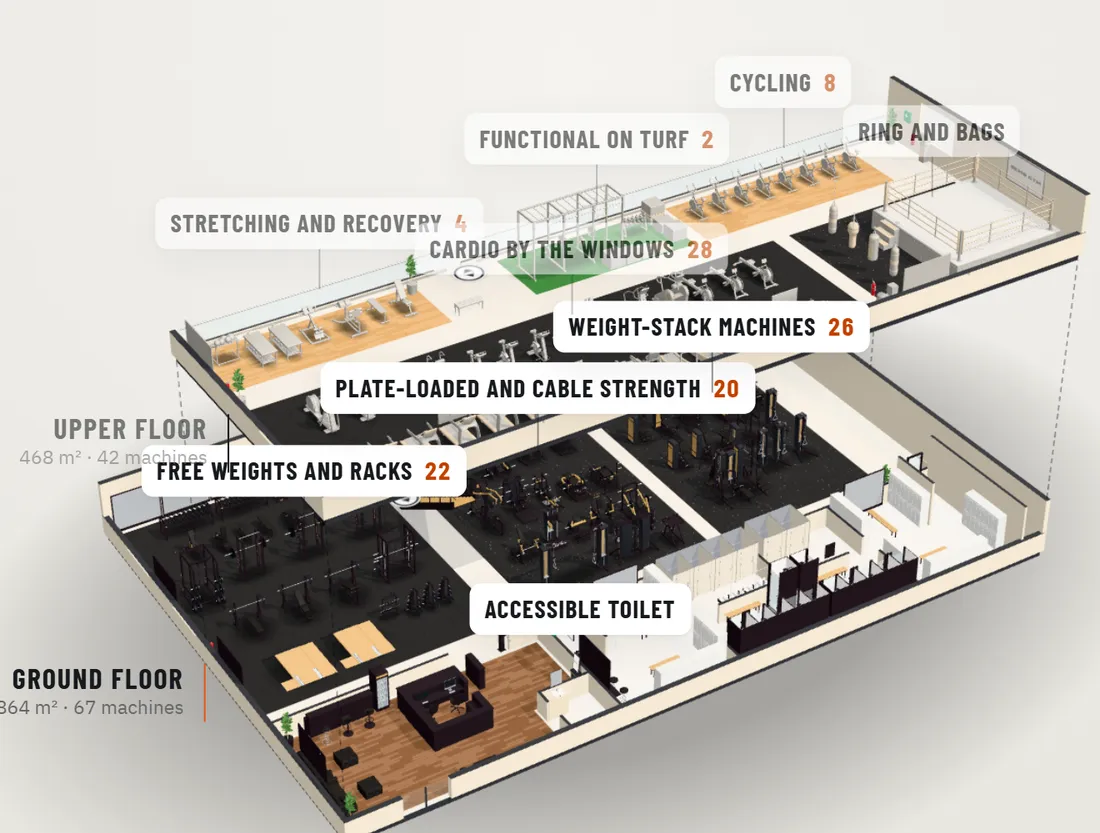
Gym plan
Your gym plan in 2D and 3D, floor by floor, with the machines where they stand.
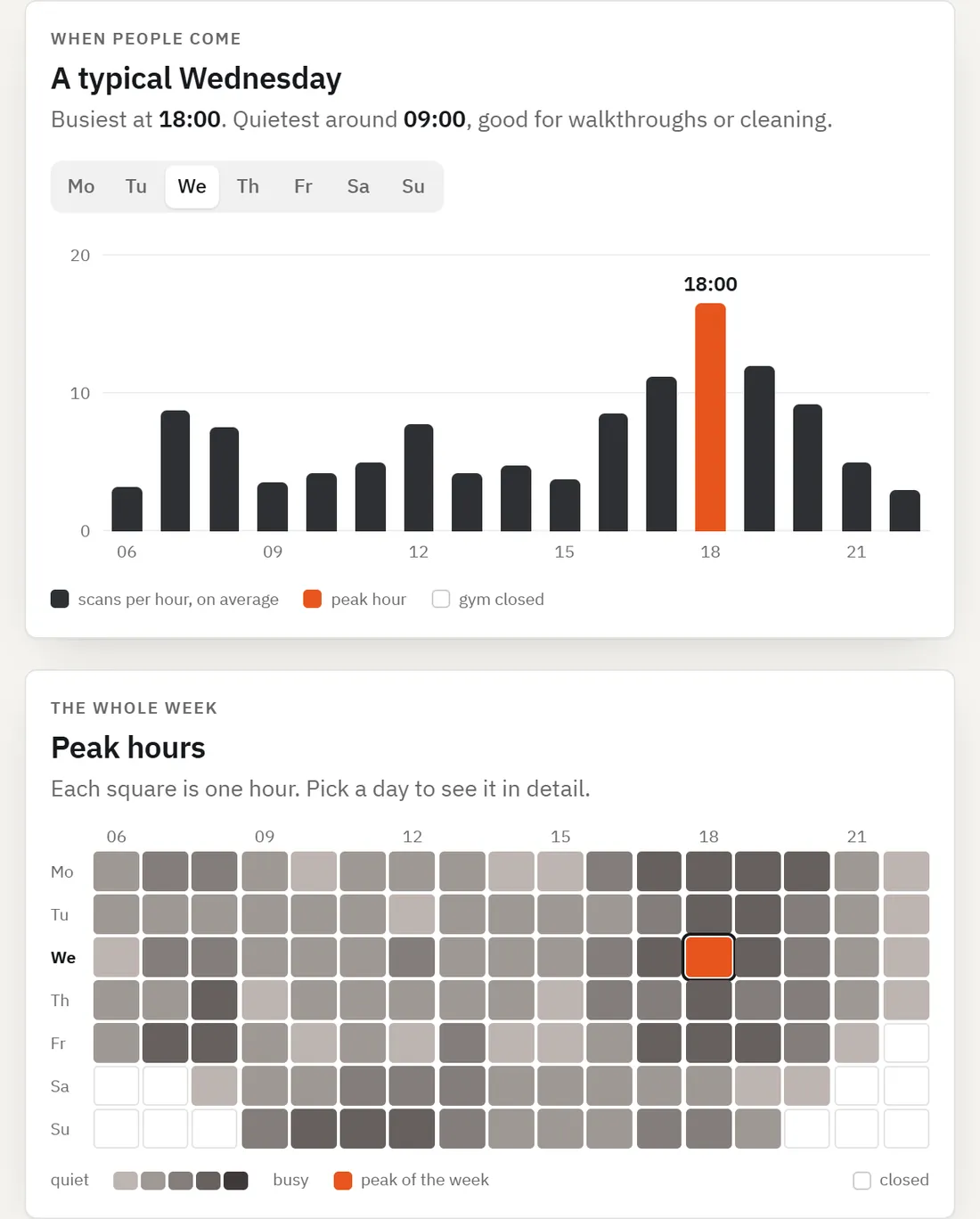
Statistics
Peak hours, the machines in use and how often members come.
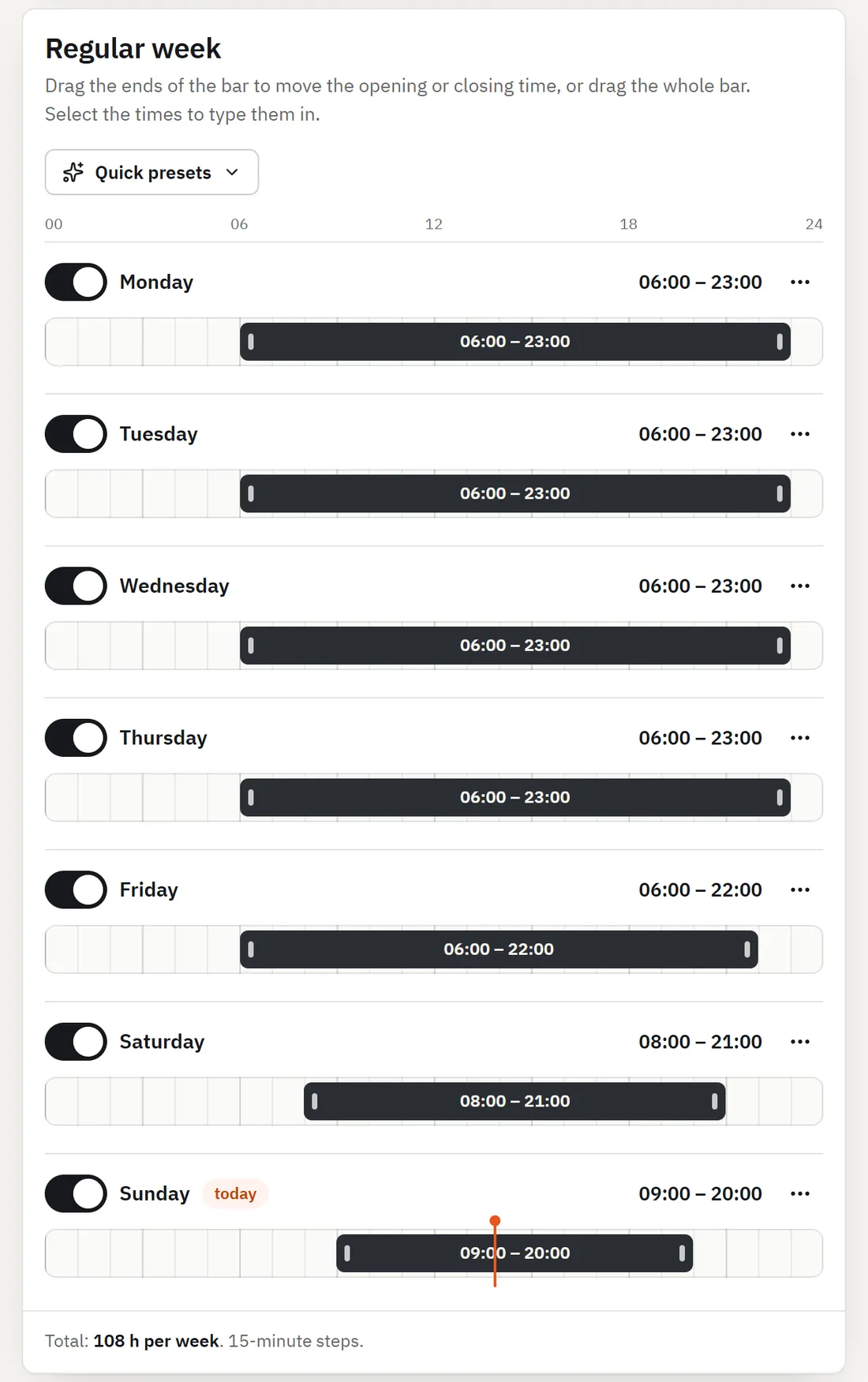
Hours and announcements
Your hours, special days and announcements show up in your members’ app.
Look in the app
Your logo, colours and gym photo: the app looks like your gym.
Coaches and team
Invite coaches by email, as many as you want. Your gym team has roles, each with its own access.
- Owner
- Administrator
- Staff
Screens from the REPIVO portal, on a demo gym. The portal is available in 25 languages.
Machine catalogue
Over 4,000 machine models, ready to pick.
You pick the brand and the model, and REPIVO adds the matching exercises, so your members find them right away. If a model is missing, you ask us to add it.
- 4.000+machine models
- 20+manufacturers
- 25languages in the app and the portal
How you start
We prepare.You stick the tags.The gym starts.
A demo for your gym
You tell us a few things about your gym. Within 24 hours you get your demo, with the portal prepared for your gym.
The kit reaches you
The REPIVO Tags and the posters for your gym.
Your gym, in 3D
On request, we build your gym plan from the photos you send us.
You stick the tags
From the portal, on your phone: scan the tag, pick the machine, stick it. The first active tag starts the gym. We install the first machines together.
You will see the exact price in the demo prepared for your gym, which you will receive within 24 hours.
Request a quote for your gym
Questions
Frequently asked questions
Pricing and packages
How much does REPIVO cost?
About the cost of a few member subscriptions per month. Five tiers, based on the number of connected machines: up to 40, 41–80, 81–130, 131–160 and 161–200; above 200, you receive a tailored offer. You will see the exact price in the demo prepared for your gym, which you will receive within 24 hours, with no commitment.
What am I committing to?
You start with a 90-day Founding Launch, with the kit included. When you accept the quote, you choose whether the monthly subscription starts automatically after the 90 days. You can cancel it at any time, effective at the end of the paid period, and the service is then deactivated.
What does the offer include?
Tags for the selected machines, including spares, co-branded materials for the gym, the gym portal, the member app and installation with remote guidance. Additional machines and on-site visits are discussed separately.
How long does installation take?
Your team installs the tags using installation mode in the portal on a phone: scan the tag, select the machine, take a photo, attach the tag and check it. We install the tags on the first machines together during a 30–45-minute call, then your team continues at its own pace.
What happens after the 90 days?
We show you what we've observed using aggregated data, and you decide whether to continue. If you opt out, new scans show a neutral page, the tags are removed, and each member's history stays in their account.
The product and your gym
What is REPIVO?
REPIVO adds connected workout tracking and feedback to your gym's existing equipment. It does not replace your membership, access control or billing system.
Do we need to replace our machines?
No. We start with the machines you have, from any manufacturer, and assign REPIVO tags to them.
What does the REPIVO tag support?
The REPIVO tag has a QR code and NFC, both pointing to the same address. The QR code works on any phone with a camera. We check every tag on the machine during installation.
How is the gym's identity displayed?
The app shows your gym’s name and visual identity. REPIVO remains on the posters and printed materials supplied with the tags.
What is the gym map in the app?
The gym draws its plan in the portal, and the member sees it in the app: which floor each machine is on and where it stands. The map appears only if the gym publishes it.
How many coaches can a gym have?
As many as it wants. The gym invites them by email, and there is no limit on coaches or clients.
Members and data
What does a member do at the machine?
They scan the REPIVO tag, see the machine details and their last relevant session, then continue their workout.
Do members need to install an app?
Scanning opens the machine page even without the app: members see the gym and the machine, then continue in the REPIVO app to save their set. They can start without an account. An account becomes useful when they want their history on another phone or at another gym.
How does issue reporting work?
In the app, at the scanned machine, the member selects what they've noticed: a damaged tag, incorrect information, a jammed adjustment mechanism or a faulty machine. The report reaches the gym team, linked to the correct machine and gym.
How is data kept separate?
The marketing website and demo form do not collect workout data. The gym's business data and data from the member-facing product remain in separate flows.
See how REPIVO could work in your gym.
Tell us a few things about your gym. Within 24 hours, you will receive by email the demo prepared for your gym, including the portal and pricing.
Built in Romania, in close collaboration with gyms.
We are a team from Romania, building REPIVO together with gyms. Every gym is different, so we work with each one individually, as partners, to bring the connected gym experience to it.